When an error pops up in Flare, you can turn it into an issue on GitHub, GitLab or Linear with a single click. Handy, but until now that issue landed in your tracker a little naked. No assignee. No labels. Nobody knew who should pick it up.
So you'd create the issue in Flare, switch to GitHub or Linear, assign the right person, slap a bug label on it. Every single time.
That's a few clicks too many. Let's fix that.
Pick assignees and labels while you create
From today, when you create an issue from an error you can choose the assignee and labels right there in Flare. On Linear you can also pick the project the issue should land in.
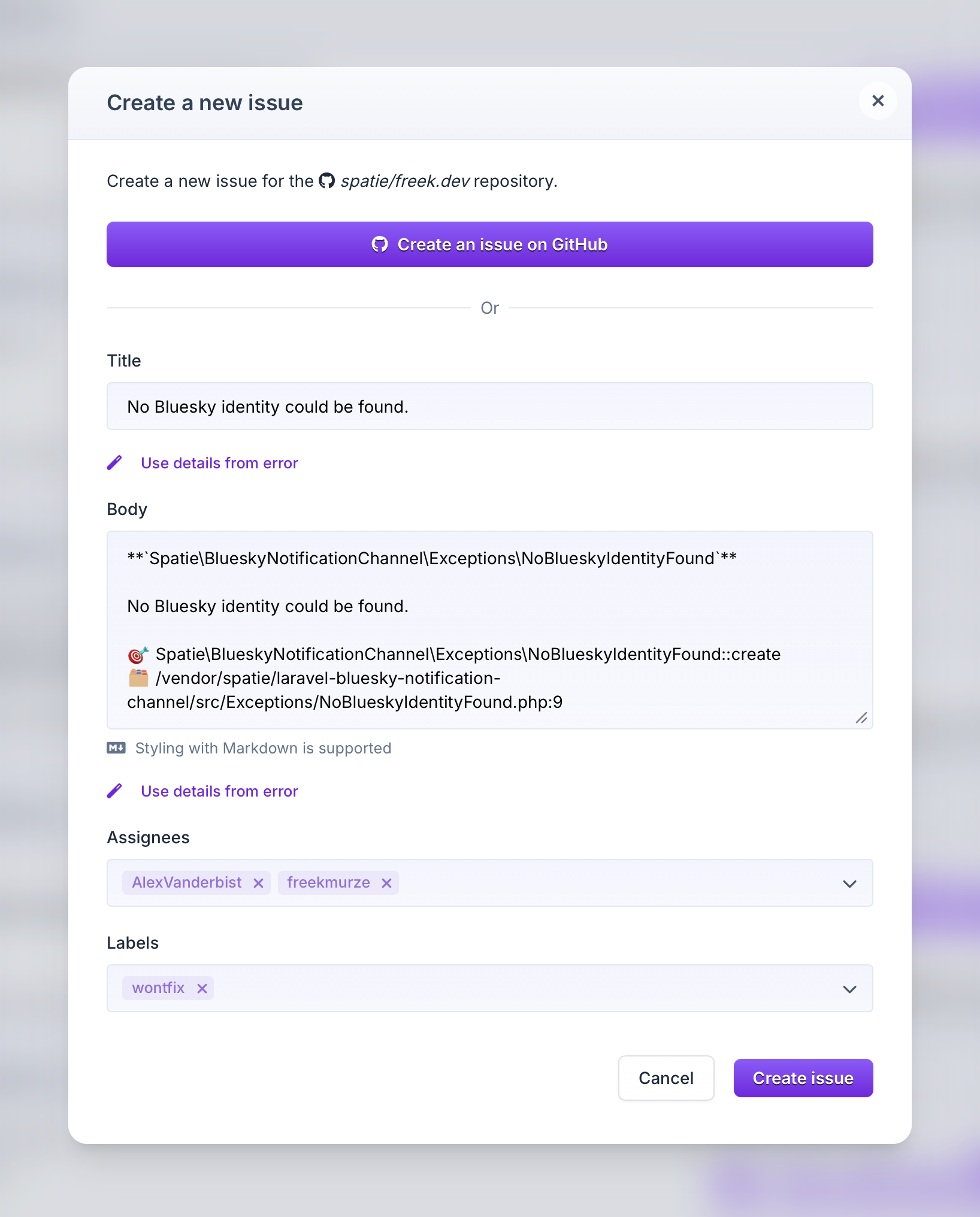
The dropdowns are filled with the people, labels and projects from your connected issue tracker. So whatever you'd normally pick over there, you can now pick here.
Set defaults per project
In most projects the bug label will be the same, just like the assignee for the error. So you can set defaults that get used the next time an issue is created.
Of course you're totally free to overwrite these defaults when creating an issue.
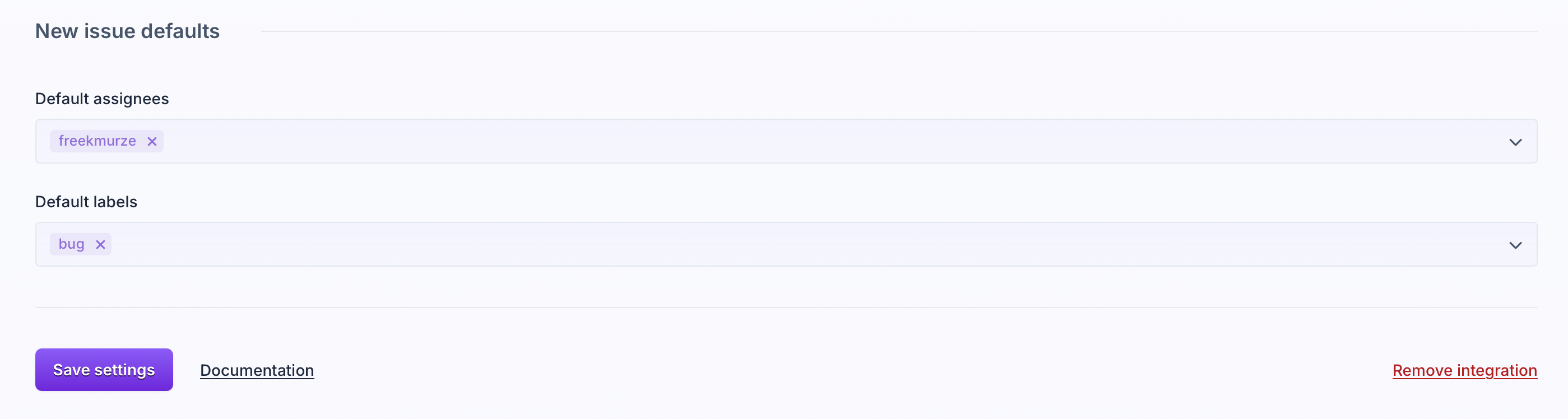
This works on GitHub, GitLab and Linear today. Due to some bigger Jira refactors we're working on, defaults didn't make it into this round, yet you can already provide values for custom fields. Defaults for Jira will be added later this year.
Let us know what you think. Happy debugging!
Continue reading
Introducing: Dark mode for Flare
We heard you, so here it is: a Dark Mode for Flare!

Dries
Automatic breadcrumbs recording and GDPR consent
The latest JavaScript client can record breadcrumbs for you: the clicks, navigations, and HTTP requests a user made before an error, so you can retrace their steps. We also added a consent hook, so nothing is sent to Flare until a visitor accepts your cookie or GDPR banner.
Dries
Subscribe to Backtrace, our quarterly Flare newsletter
No spam, just news & product updates