


 Flare
Flare
 PHP
PHP
 JavaScript
 Protocol
Reporting errors
Once flare.light() has run, the @flareapp/js client already reports unhandled errors and unhandled promise rejections for you, without any extra code. This page covers reporting an error yourself, sending a plain log message, and controlling how much gets sent.
Reporting an error you caught yourself
Errors caught in a try/catch block, or in a framework's error boundary, are not reported automatically. Use flare.report() to send one:
import { flare } from '@flareapp/js';

try {
    functionThatMightThrow();
} catch (error) {
    flare.report(error);
}
report() returns a Promise<void>. You can await it if you need to know the report finished, but you don't have to.
Pass a second argument to attach one-off context to just this report:
try {
    processOrder(order);
} catch (error) {
    flare.report(error, {
        'context.custom': { order: { id: order.id, total: order.total } },
    });
}
Sending a message without an error
If you don't have an error object, but still want to send something to Flare, use reportMessage():
flare.reportMessage('Payment retry limit reached');
It takes an optional level as the second argument, and an optional attributes object as the third:
flare.reportMessage('Payment retry limit reached', 'warning', {
    'context.custom': { retries: 3 },
});
Like report(), it returns a Promise<void>. Messages always show up under the Log exception class in Flare, so you can tell them apart from real errors.
What gets caught without any code
flare.light() sets up two listeners: one for errors that reach window.onerror, and one for promise rejections that reach window.onunhandledrejection. Between them, that covers most errors thrown in code that isn't wrapped in a try/catch, and any promise that rejects without a .catch() handler.
This does not cover an error you already caught yourself, for example inside a library's own .catch() block. Call flare.report() for those.
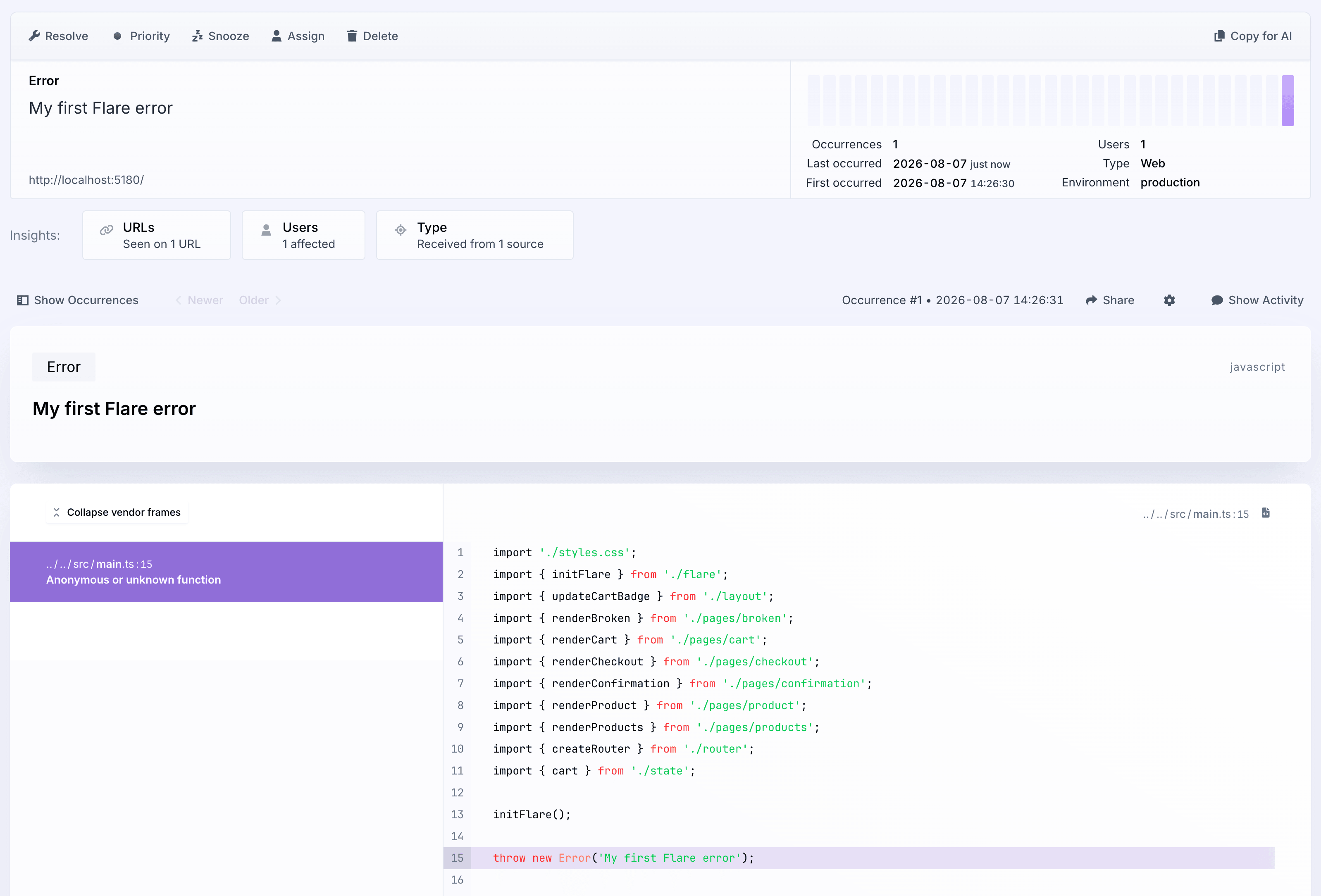
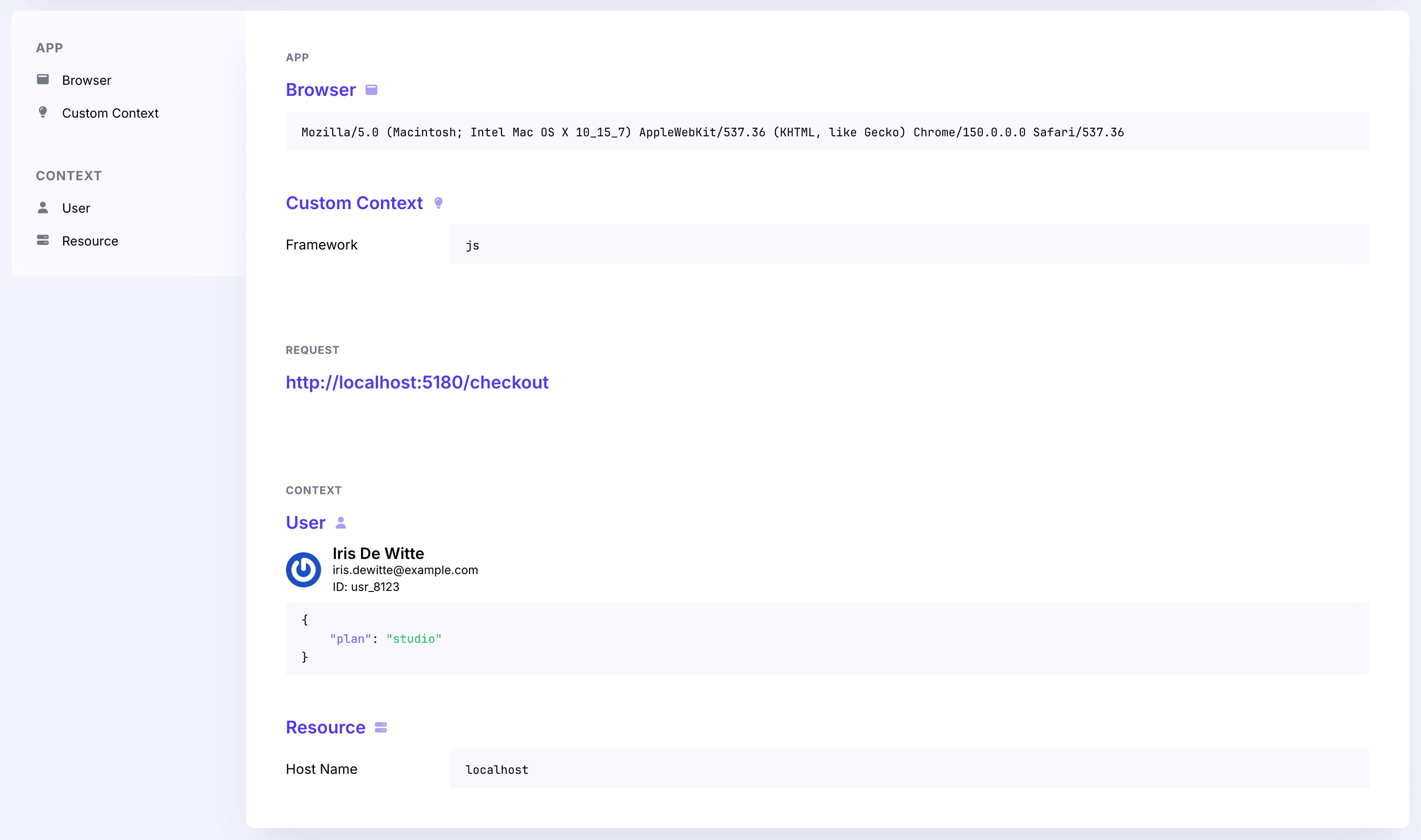
Every report also contains context about where it happened: the browser, the URL, anything you added with
custom context, and the user if you called
setUser().
Flare also ignores errors it thinks come from a browser extension by default, since that code isn't yours. Turn this off with reportBrowserExtensionErrors:
flare.configure({
    reportBrowserExtensionErrors: true,
});
Controlling how much gets sent
sampleRate decides what fraction of reports actually go out. It applies the same way everywhere: to report(), reportMessage(), and errors caught automatically.
flare.configure({
    sampleRate: 0.5,
});
It's a number between 0 and 1, and defaults to 1, meaning every report is sent. 0.5 sends roughly half. Lower it once you have real traffic, so a busy error doesn't flood your quota.
Building and sending a report yourself
For advanced cases, report() and reportMessage() are built from two lower-level methods you can call directly:
const report = await flare.createReportFromError(error);

if (report) {
    report.attributes['context.custom'] = { buildId: 'abc123' };

    await flare.sendReport(report);
}
createReportFromError(error, attributes?) builds the full report, stack trace and all, without sending it. It returns false if you pass something that isn't a usable error.
sendReport(report) sends an already-built report. The beforeSubmit hook still runs on it, same as for a normal report.
When a report fails to send
If a report fails to send, for example because of a network error or a response that isn't 201, Flare drops it and doesn't try again. A broken error reporter should never be the thing that crashes your application. Set debug: true in flare.configure() if you want to see the failure logged to the console.