


In addition to logging support for PHP / Laravel, we are landing logging in our JS clients as well.
You can now send logs from your JS and TS apps, not just errors. Handy when you want to know what happened before something broke, or just want a record of what your app did.
Writing a log
Once logging is enabled, every Flare instance exposes a logger with the eight standard syslog levels:
flare.logger.debug('Cart hydrated from localStorage');
flare.logger.info('Checkout started');
flare.logger.notice('Coupon applied');
flare.logger.warning('Payment retried');
flare.logger.error('Payment gateway returned 502');
flare.logger.critical('Order written without a payment record');
flare.logger.alert('Inventory service unreachable');
flare.logger.emergency('Database connection pool exhausted');
Pick the level that fits, pass a message, and you're done.
Attach structured context
A message on its own is fine. A message with extra context is better. Pass an optional second argument with any structured attributes you want to keep:
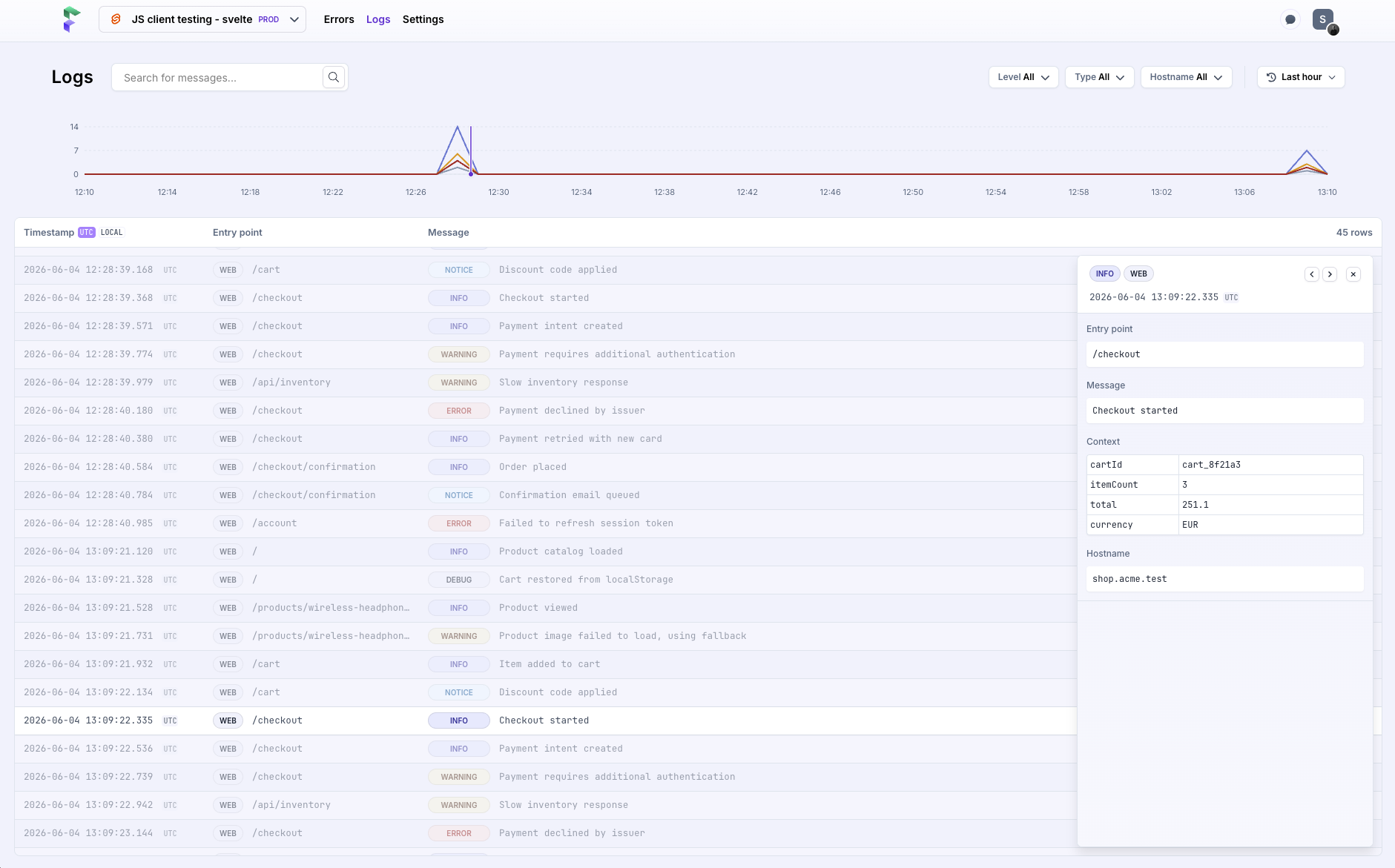
flare.logger.info('Checkout started', {
    cartId: 'cart_8f21a3',
    itemCount: 3,
    total: 251.1,
    currency: 'EUR',
});
Those attributes get stored with the log and show up when you open it in Flare.
Turning it on
Logging is opt-in. Nothing leaves the browser until you turn it on, so dropping in the SDK won't change your traffic behind your back:
import { flare } from '@flareapp/js';

flare.light('your-api-key');
flare.configure({ enableLogs: true });
That's it. After that the client buffers and sends logs to your Flare project.
How it works
The client buffers logs and sends them in batches instead of one request per line. A batch goes out at 100 logs, at around 0.8 MB, or every five seconds, whichever hits first. On the wire it's an OpenTelemetry envelope going to the same Flare backend your errors already use.
The trick is not losing buffered logs when a session ends. In the browser, Flare flushes on tab hide with a keepalive request, so logs go out even as someone navigates away or closes the tab. More on how that mechanism works in another blog post.
Available now
Logging works everywhere our JavaScript client runs: plain JS, React, Vue, Svelte, and SvelteKit. Update to the latest versions, switch on enableLogs, and start logging.
Continue reading
Introducing: Dark mode for Flare
We heard you, so here it is: a Dark Mode for Flare!

Dries
Automatic breadcrumbs recording and GDPR consent
The latest JavaScript client can record breadcrumbs for you: the clicks, navigations, and HTTP requests a user made before an error, so you can retrace their steps. We also added a consent hook, so nothing is sent to Flare until a visitor accepts your cookie or GDPR banner.
Dries
Subscribe to Backtrace, our quarterly Flare newsletter
No spam, just news & product updates
