


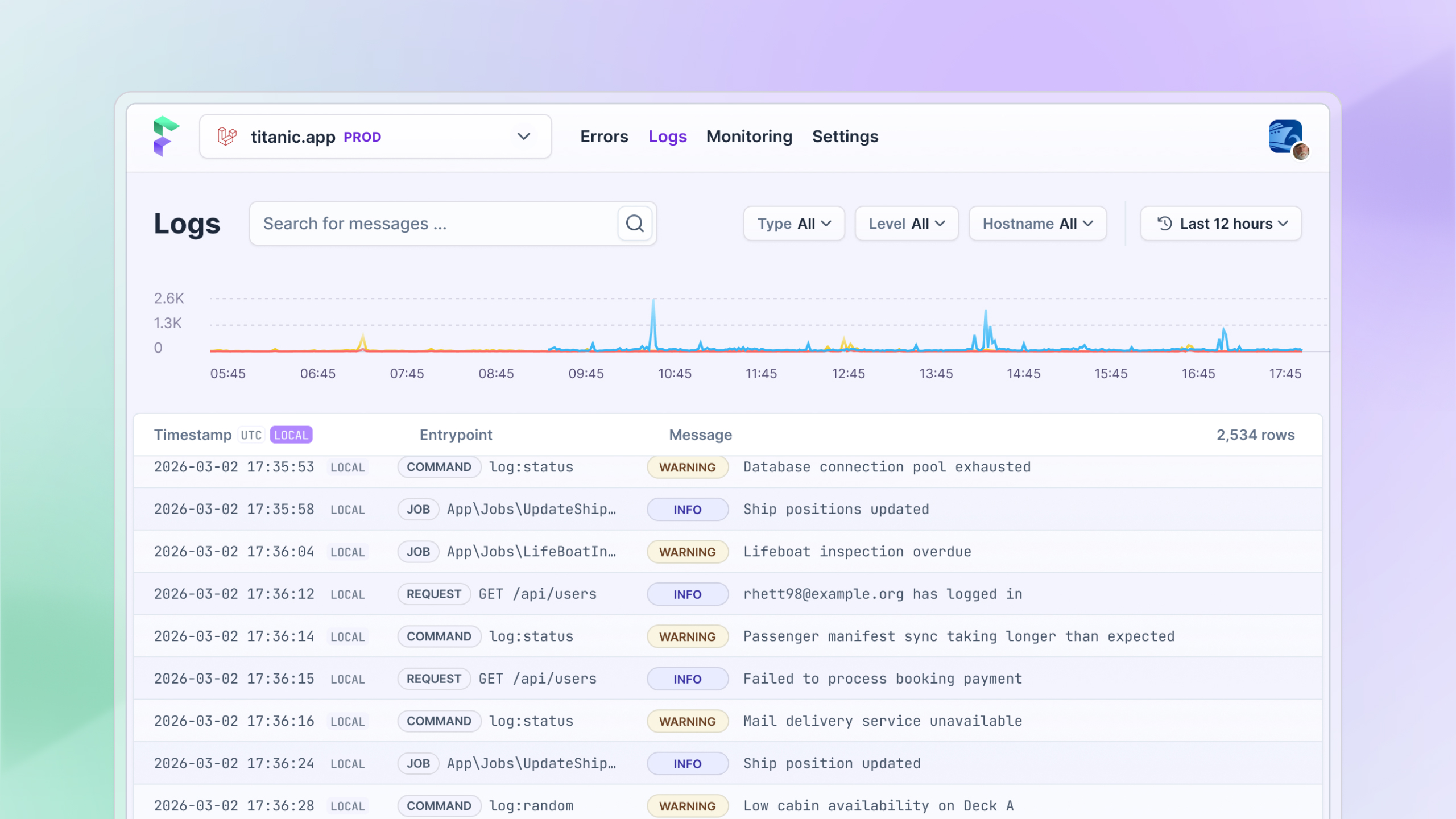
Logging is now available for all Flare users! Send any log from your Laravel or PHP app to Flare and use our polished interface to filter and search your logs in real-time.
Additionally, we added support for logging via JS apps as well.
Why we added logging
Error tracking is useful in many cases, but logs often give you that extra bit of context, especially for new or infrequent errors.
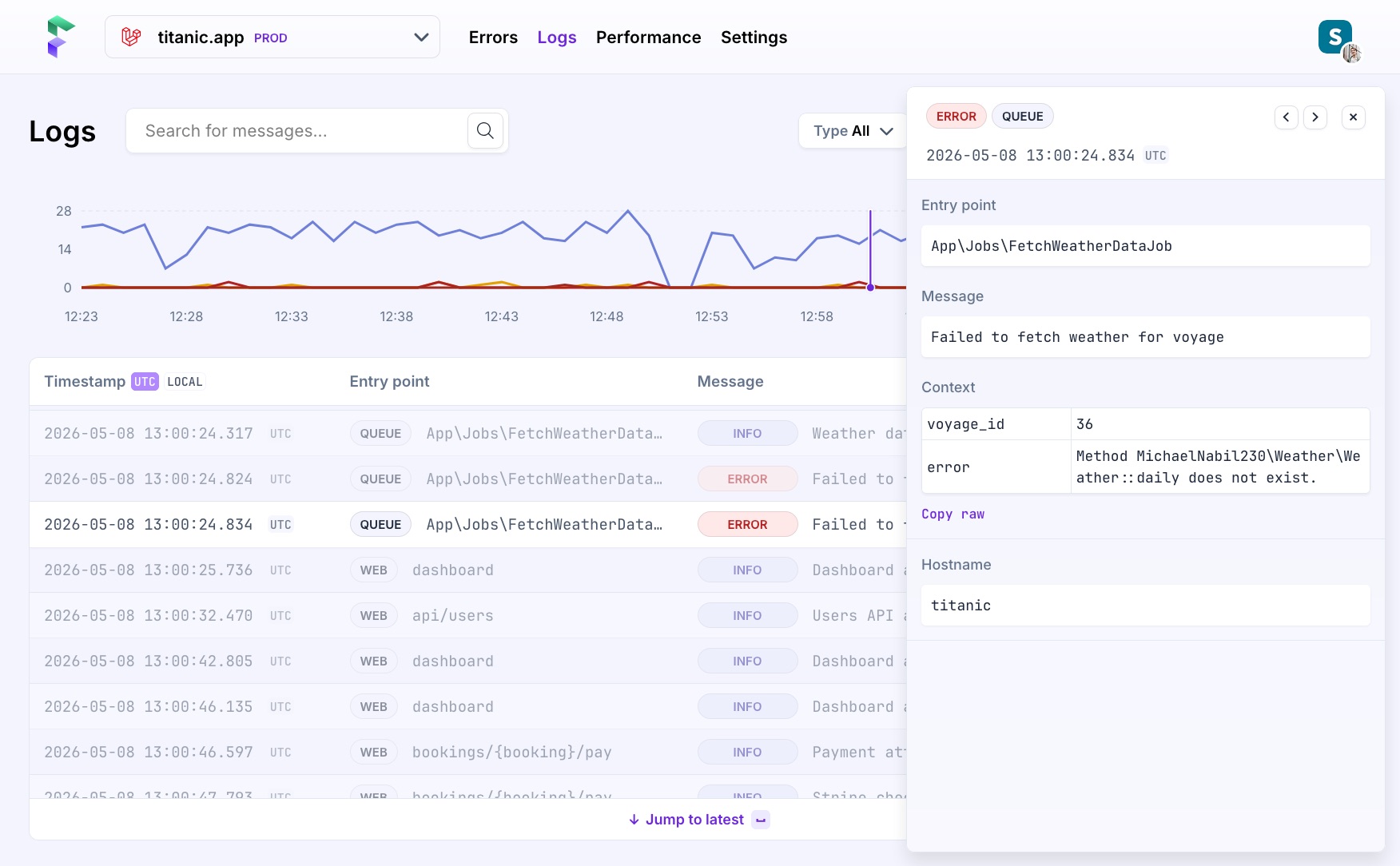
Use logs to understand what an app was doing around the time of an error, trace the lifecycle of a request or job, and spot patterns in production that don't surface as exceptions.
Find what you're looking for by filtering by level, entry type, and time range. Running multiple web workers? Filter by hostname to isolate exactly which server logged what. And we have all your entry points covered: HTTP requests, Artisan commands, queue jobs, and more.
Learn more about how it works in our introduction to logging.
How can I start?
Log collection is part of a new release of our Flare SDKs for Laravel & PHP, so you'll need to update to the latest 3.0 release first. After updating or installing, follow the instructions for Laravel or PHP to configure logging on your app.
If you expect to be sending a lot of logs, we recommend our separate Flare daemon that runs alongside your application. Easy to install on Forge, Laravel Cloud, Kubernetes, or Docker.
It's a free add-on for all plans, with generous limits to get you started.
What's next?
We're working hard to make Flare better, and we can't wait to show you what's next.
If you haven't used Flare yet, or have used it in the past, now is the best time to try out our context-rich Laravel error tracking, logging and performance monitoring. Sign up for a 10-day free trial and get access to all the features.
Continue reading
Introducing: Dark mode for Flare
We heard you, so here it is: a Dark Mode for Flare!

Dries
Automatic breadcrumbs recording and GDPR consent
The latest JavaScript client can record breadcrumbs for you: the clicks, navigations, and HTTP requests a user made before an error, so you can retrace their steps. We also added a consent hook, so nothing is sent to Flare until a visitor accepts your cookie or GDPR banner.
Dries
Subscribe to Backtrace, our quarterly Flare newsletter
No spam, just news & product updates
