Blog
Your Laravel routes can carry metadata now, and Flare shows it

Laravel just landed a neat little feature: route metadata. You can attach arbitrary metadata to a route and read it back later.
Route::get('/users', [UserController::class, 'index'])
    ->metadata(['head' => ['title' => 'Users']]);
And then somewhere down the line:
$request->route()->getMetadata('head.title'); // 'Users'
Cool, right? It's a clean way to attach metadata to a route without inventing your own conventions.
So where does Flare come in?
When something goes wrong on a request, that route's metadata is part of the story. Maybe you flagged the route as internal, tagged it with a feature flag, or added some specific logic based upon the route.
That's exactly the kind of context you want sitting next to a stack trace when you're trying to figure out what happened.
The newest laravel-flare client (3.1.0) sends this info along with errors. Flare picks it up and shows it for you:
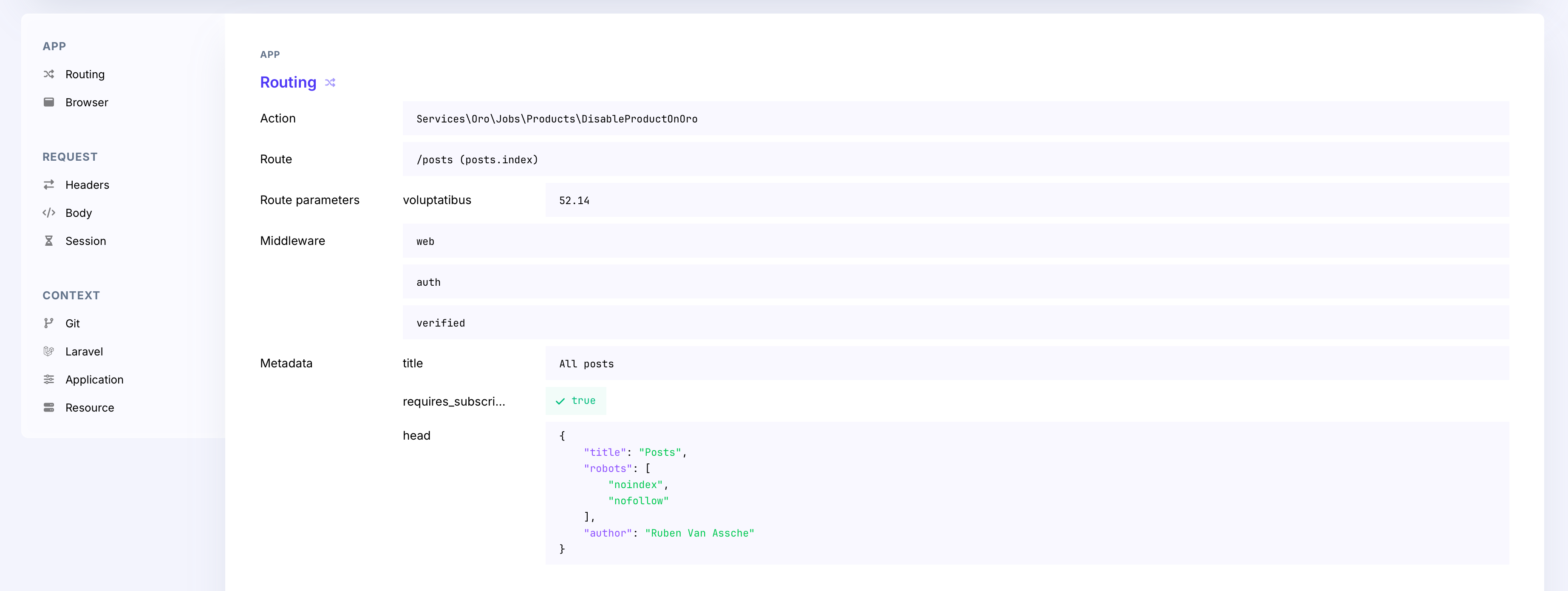
Scalar values show up inline. Nested values get rendered as JSON so you can actually read them.
It works for performance traces too
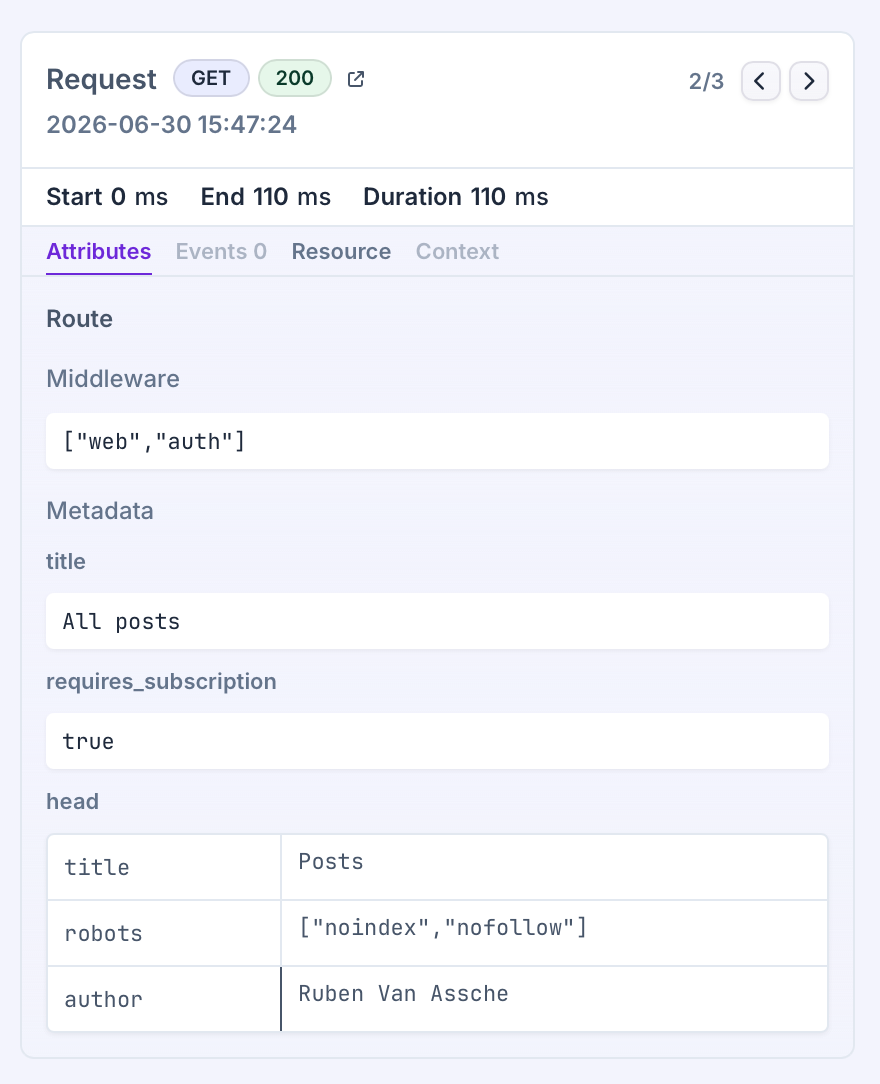
The same metadata flows through to performance monitoring. Open up a trace, click into the request span, and the Route panel shows the metadata right alongside everything else:
Getting it
Make sure you're on the 3.1.0 version of the laravel-flare client, add some metadata to your routes, and you're done.
Happy debugging!
Continue reading
Introducing: Dark mode for Flare
We heard you, so here it is: a Dark Mode for Flare!

Dries
Automatic breadcrumbs recording and GDPR consent
The latest JavaScript client can record breadcrumbs for you: the clicks, navigations, and HTTP requests a user made before an error, so you can retrace their steps. We also added a consent hook, so nothing is sent to Flare until a visitor accepts your cookie or GDPR banner.
Dries
Subscribe to Backtrace, our quarterly Flare newsletter
No spam, just news & product updates