


 Flare
Flare
 PHP
PHP
 JavaScript
 Protocol
Identifying users
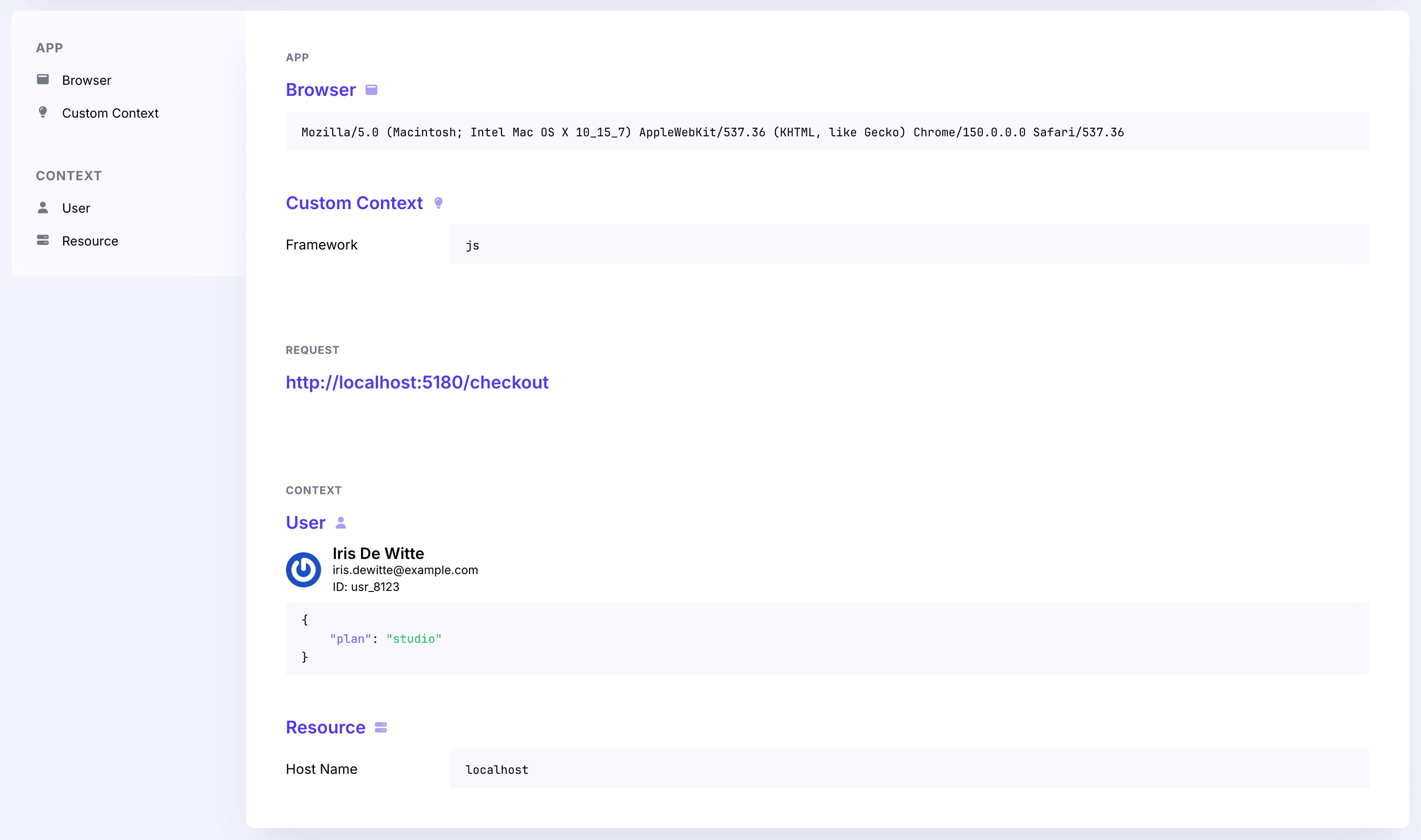
When a user is logged in to your application, you can attach information about that user to the data you send, so you can see who was affected in Flare. The user is attached to error reports, to your logs, and to traces.
Call flare.setUser() once you know who the user is (after login, on app boot, in a route guard, etc.):
import { flare } from '@flareapp/js';

flare.setUser({
    id: 123,
    email: '[email protected]',
    fullName: 'Jane Doe',
});
The following fields are recognised:
| Field | Attribute sent | Description |
|---|---|---|
id |
user.id |
The user's unique identifier. Used to group occurrences. |
email |
user.email |
Shown as the user's label, with a Gravatar. |
fullName |
user.full_name |
Shown as the user's label when no email is present. |
All fields are optional. Provide whichever you have; id is what links occurrences to a single user.
Sending extra attributes
Any additional keys you pass are collected under user.attributes and shown alongside the user in Flare:
flare.setUser({
    id: 123,
    email: '[email protected]',
    fullName: 'Jane Doe',
    plan: 'pro',
    teamId: 42,
});
Here plan and teamId are sent as user.attributes.
Where the user ends up
Error reports. Every report sent after setUser() carries the user.
Logs. Every log record sent after setUser() carries the user as well.
Traces. The user is attached to the span at the top of a trace, for example a page load or a navigation span. Child spans inside that trace don't repeat it.
The client reads the user when that top span starts, not when the trace is sent. A page load that started
before you called setUser() is sent without a user, even if you set one while the page was still loading.
The next navigation does carry it. If you want the user on the page load itself, call setUser() as early
as you can, for example straight after flare.light() when you already know who the user is.
Clearing the user
When the user logs out, clear the attached user by passing null:
flare.setUser(null);
Per-request scope (Node)
In @flareapp/node, setUser() attaches the user to the current request scope, so concurrent requests do
not share or leak each other's user. Call it inside your request handler (typically within
runWithContext(...)). See the
@flareapp/node README
for details on request-scoped context:
import { flare } from '@flareapp/node';

flare.setUser({ id: user.id, email: user.email, fullName: user.name });