


 Flare
Flare
 PHP
PHP
 JavaScript
 Protocol
Introduction
If you haven't turned on tracing yet, start with turn on tracing in the quick start. This page covers the Vue-specific half: timing your components. You can stop after the error reporting steps in the quick start and come back to this later. It isn't required to get errors into Flare.
Read more in how component profiling works, which explains what a mount span is and how it nests under a trace.
How Vue profiles a component
There is no component to wrap, unlike some other framework integrations. Pass the profileComponents option to flareVue instead, with an array of the component names you want to time:
import { flare } from '@flareapp/js';
import { flareVue } from '@flareapp/vue';
import { createApp } from 'vue';
import App from './App.vue';

flare.light('YOUR PROJECT KEY');

const app = createApp(App);
app.use(flareVue, {
    profileComponents: ['ProductPage', /^Product/],
});
app.mount('#app');
Each entry is matched against the component's own name. A string matches exactly, and a regular expression is tested against the name. ProductPage.vue is named ProductPage automatically, without you writing anything for it: <script setup> compiles a filename-derived name into every single file component. An explicit name option is only used as a fallback, when that filename-derived name is absent. In practice, on a single file component, the filename always wins, even if you also set a name option to something else. If you name a component ProductPage inside Gallery.vue and list ProductPage in profileComponents, nothing matches. No span is recorded, and Vue gives you no warning that it happened.
Functional components are never profiled. A functional component has no lifecycle hooks, so there is nothing for the profiler to attach to, regardless of whether its name matches.
profileComponents: true is a debugging aid
profileComponents also accepts true instead of an array. That profiles every named component in your app, which is useful while you're looking for a slow component locally. It is not something to ship. A trace stops recording new spans once it hits maxSpansPerTrace (1024 by default, see the configuration reference), and a real page can easily mount more components than that. The mount spans you actually care about can end up past that limit, alongside hundreds of spans for components you were never trying to time. Pass an array of the specific component names you want to time instead, and add or remove entries as you narrow down a problem.
What gets recorded
Only mounts. A mount span covers the component mounting, once. Re-renders and updates after that are not recorded. If a component re-renders slowly after it has already mounted, this will not show you that.
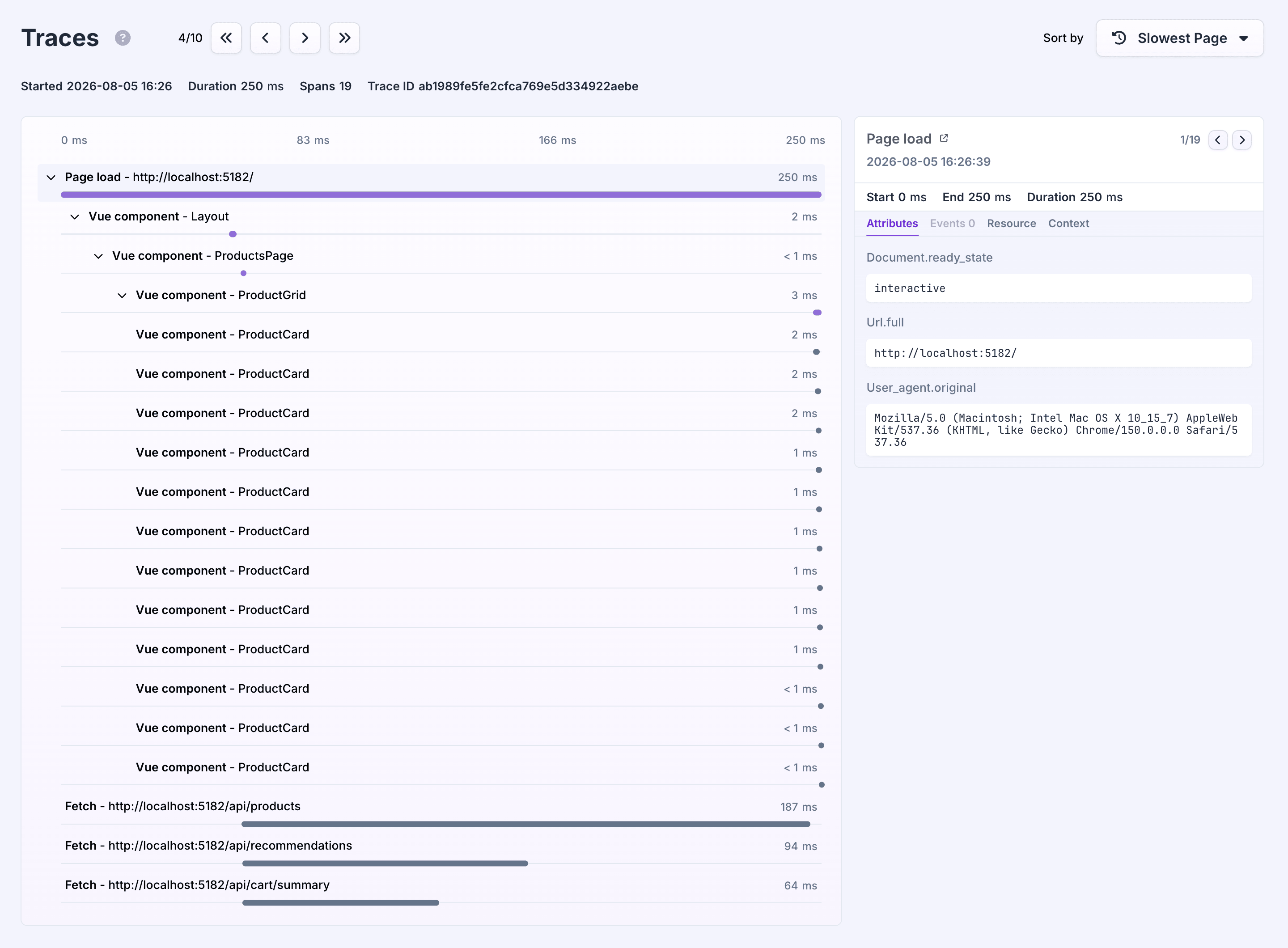
Nested under the active trace. A mount span nests under whatever browser_pageload or browser_navigation span is open while the component mounts, and under any matched ancestor component that already started its own span. Naming a parent and a child both gives you a mount waterfall, not just two flat spans.
A matched component's span covers everything it renders. The span starts in the component's beforeMount hook and ends in its mounted hook. Vue runs beforeMount top-down and mounted bottom-up, so the span also covers the mounting of the components inside it, whether those are matched or not. Naming one component near the top of your tree gives you a single total for that part of the app, not a breakdown per component. Name the components inside it too if you want to see where that time goes. Async components and <Suspense> are the exception, see the next point.
Async components and <Suspense> are not covered by that nesting guarantee. Vue mounts synchronous descendants of a component in a predictable, nested order, so their spans nest cleanly. A component loaded asynchronously, or anything under <Suspense>, can mount after its parent's own span already finished recording. When that happens but the trace is still the same one, the span still records, just with a start time that lands after its parent's end, so the waterfall can look odd. If the page load or navigation root has already closed by the time the async component finishes mounting, its span is not recorded at all.
Only while enableTracing is on. Component profiling is part of tracing. With enableTracing off, matched components mount as normal but no span is recorded.
Read more
- Tracing introduction for Vue: trace navigations with your router.
- How component profiling works: the shared ideas behind mount spans across frameworks.
On this page