


 Flare
Flare
 PHP
PHP
 JavaScript
 Protocol
Sourcemaps
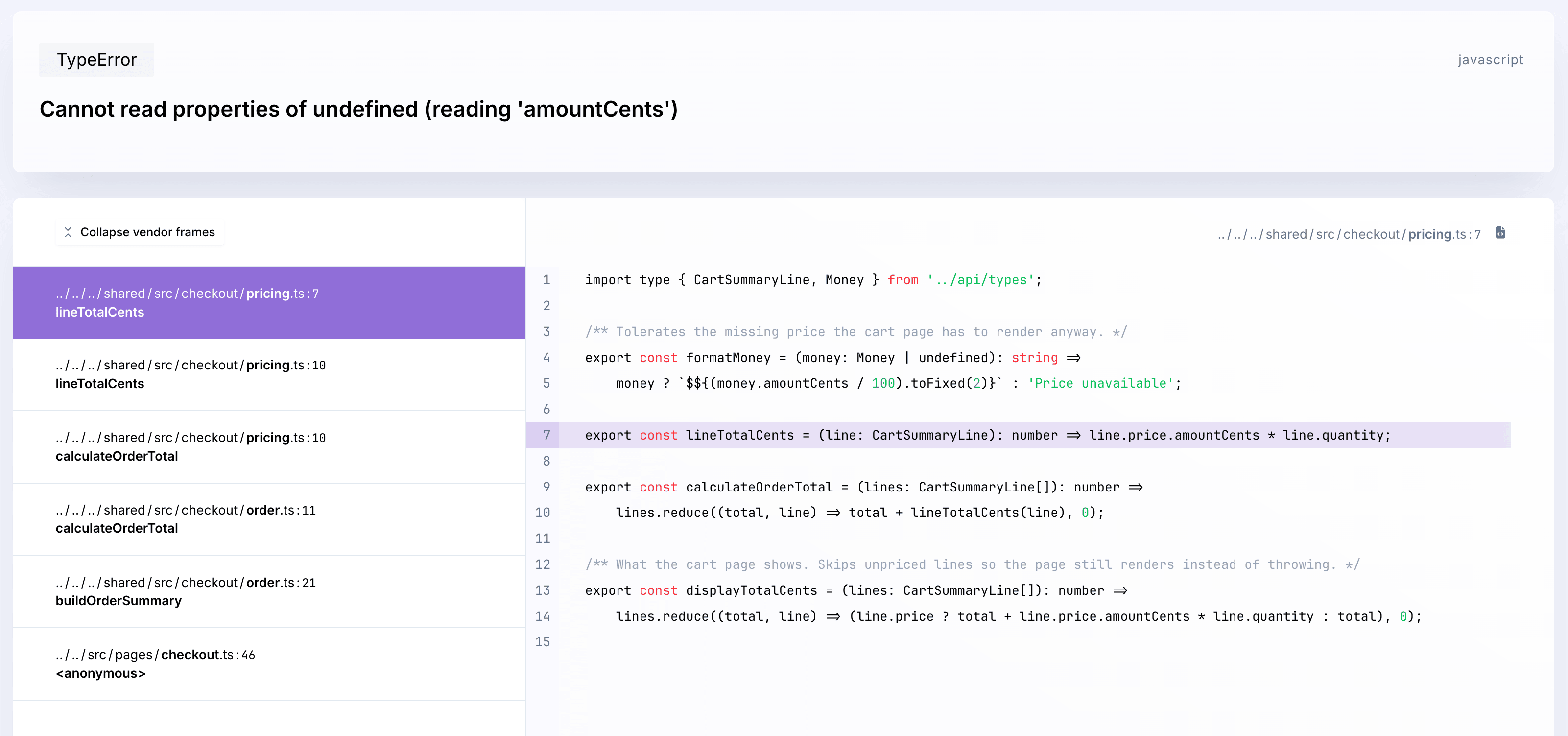
When you bundle your code for production, it gets minified and rearranged. Stack traces and code snippets in your error reports end up pointing at that bundled output instead of the file and line you actually wrote. Uploading a sourcemap after every build fixes this: Flare uses it to resolve reports back to your original source.
The plugins on this page run as part of your build, on Node: Node 18 or newer, Node 22 recommended.
Using React Native? Sourcemaps go through Metro instead. See React Native sourcemaps.
Install and configure your build tool
Flare has a plugin for each of the three build tools below. Install the one you use:
npm install @flareapp/vite
npm install @flareapp/webpack
npm install @flareapp/nextjs
Then add it to your build config:
// vite.config.ts
import { defineConfig } from 'vite';
import flareSourcemaps from '@flareapp/vite';

export default defineConfig({
    plugins: [
        flareSourcemaps({
            apiKey: 'YOUR PROJECT KEY',
        }),
    ],
});
// webpack.config.js
const { FlareWebpackPlugin } = require('@flareapp/webpack');

module.exports = {
    devtool: 'hidden-source-map',
    plugins: [
        new FlareWebpackPlugin({
            apiKey: 'YOUR PROJECT KEY',
        }),
    ],
};
// next.config.mjs
import { withFlareSourcemaps } from '@flareapp/nextjs';

export default withFlareSourcemaps({
    // your normal Next.js config
}, {
    apiKey: 'YOUR PROJECT KEY',
});
Run your build. The plugin uploads the sourcemaps for you and prints a line confirming it. It also injects your project key and the sourcemap version into the build: your project key means flare.light() works without an argument once the plugin is set up, and the sourcemap version means every report your app sends is automatically tagged with the same version as the sourcemap that resolves it, without you calling flare.configure({ sourcemapVersionId }) yourself. A failed upload retries automatically before it gives up.
Next.js does not have its own Flare SDK. @flareapp/nextjs only wraps your Next.js config to upload sourcemaps. It does not report errors or traces. Install @flareapp/js the same way as any JavaScript app (see the quick start), then add this plugin on top for sourcemaps.
Vite
Flare's Vite plugin supports Vite 5, 6, 7, and 8.
- It turns on hidden sourcemaps for you by setting
build.sourcemapto'hidden'once uploading is active. You don't need to configure this yourself. - It does not upload sourcemaps while running in Vite's
developmentmode, unless you setrunInDevelopmenttotrue. - Set the
SKIP_SOURCEMAPS=trueenvironment variable to skip uploading entirely, for example on a build you don't want to ship.
| Option | Description |
|---|---|
apiKey |
Required. Your Flare project's public API key. |
base |
The base path of the built output. Defaults to Vite's own base path. |
apiEndpoint |
The endpoint sourcemaps are uploaded to. Defaults to 'https://flareapp.io/api/sourcemaps'. |
runInDevelopment |
Whether to upload when running in development mode or the dev server. Defaults to false. |
version |
The sourcemap version identifier. Defaults to a fresh UUID for every build. |
removeSourcemaps |
Whether to delete the sourcemap files after uploading them. Defaults to false. |
Webpack
Flare's Webpack plugin supports Webpack 5.
- Your webpack config needs a
devtoolsetting that produces a separate.mapfile, for example'hidden-source-map'. The plugin does not set this for you. - It does not upload sourcemaps in webpack's
developmentmode orwatchmode, unless you setrunInDevelopmenttotrue. Sourcemaps are never uploaded inwatchmode, even with that option set.
| Option | Description |
|---|---|
apiKey |
Required. Your Flare project's public API key. |
apiEndpoint |
The endpoint sourcemaps are uploaded to. Defaults to 'https://flareapp.io/api/sourcemaps'. |
runInDevelopment |
Whether to upload when compiling in webpack's development mode. Defaults to false. |
version |
The sourcemap version identifier. Defaults to a fresh UUID for every build. |
removeSourcemaps |
Whether to delete the sourcemap files after uploading them. Defaults to false. |
publicPath |
Overrides the public path prepended to filenames. Defaults to the publicPath from your webpack output config. |
Next.js
Flare's Next.js plugin wraps your Next.js config and supports Next.js 13 and newer. It registers the same webpack plugin described above for both your client and server builds.
- It turns on
productionBrowserSourceMaps, unless you've already set it yourself. - On Next.js 15 and newer, it also turns on the
experimental.serverSourceMapsflag, unless you've already set it. - Because
productionBrowserSourceMapswould otherwise leave your client.mapfiles publicly served, this plugin deletes them from the client build after uploading, by default. Server sourcemaps are never deleted, since nothing serves those to a browser.
| Option | Description |
|---|---|
apiKey |
Required. Your Flare project's public API key. |
apiEndpoint |
The endpoint sourcemaps are uploaded to. Defaults to 'https://flareapp.io/api/sourcemaps'. |
runInDevelopment |
Whether to upload sourcemaps in development builds. Defaults to false. |
version |
The sourcemap version identifier. Defaults to a fresh UUID for every build. |
removeSourcemaps |
Whether to delete the client build's sourcemap files after uploading them. Defaults to true. |
publicPath |
Overrides the public path prepended to filenames. Defaults to the value from your webpack output config. |
Laravel Mix (legacy)
If you're still on Laravel Mix, use the legacy Webpack plugin instead of @flareapp/webpack:
npm install @flareapp/flare-webpack-plugin-sourcemap --dev
Add it to your webpack.mix.js file:
const FlareWebpackPluginSourcemap = require('@flareapp/flare-webpack-plugin-sourcemap');

mix
    // your normal Mix config
    .webpackConfig({
        plugins: [new FlareWebpackPluginSourcemap({ key: 'YOUR PROJECT KEY' })],
    })
    .sourceMaps(true, 'hidden-source-map');
If you're moving off Laravel Mix to a plain Webpack 5 setup, switch to @flareapp/webpack instead: it's the actively maintained plugin.
Manually uploading sourcemaps
There's no UI in the Flare dashboard for uploading sourcemaps. If none of the plugins above fit your setup, send one yourself with a POST request to https://flareapp.io/api/sourcemaps:
{
    "key": "YOUR PROJECT KEY",
    "version_id": "a unique identifier for this version of your code, usually a uuid",
    "relative_filename": "/js/app.js",
    "sourcemap": "base64 string of a compressed sourcemap"
}
| Field | Description |
|---|---|
key |
Your project's public API key. |
version_id |
A project-unique string for this build. Set the same value in your client, with flare.configure({ sourcemapVersionId: 'your-version' }), so Flare knows which sourcemap resolves which report. |
relative_filename |
The path to the file this sourcemap belongs to, relative to your domain's root. |
sourcemap |
Your sourcemap's contents, compressed and base64-encoded. |
In Node.js, you can compress the sourcemap with the built-in Zlib module:
import { deflateRawSync } from 'zlib';

const compressed = deflateRawSync(sourcemapContent).toString('base64');